

1·
1 year agoHah. I’m glad I’m not the only one who thought of ZFS. I do have a project involving it though.
Hah. I’m glad I’m not the only one who thought of ZFS. I do have a project involving it though.
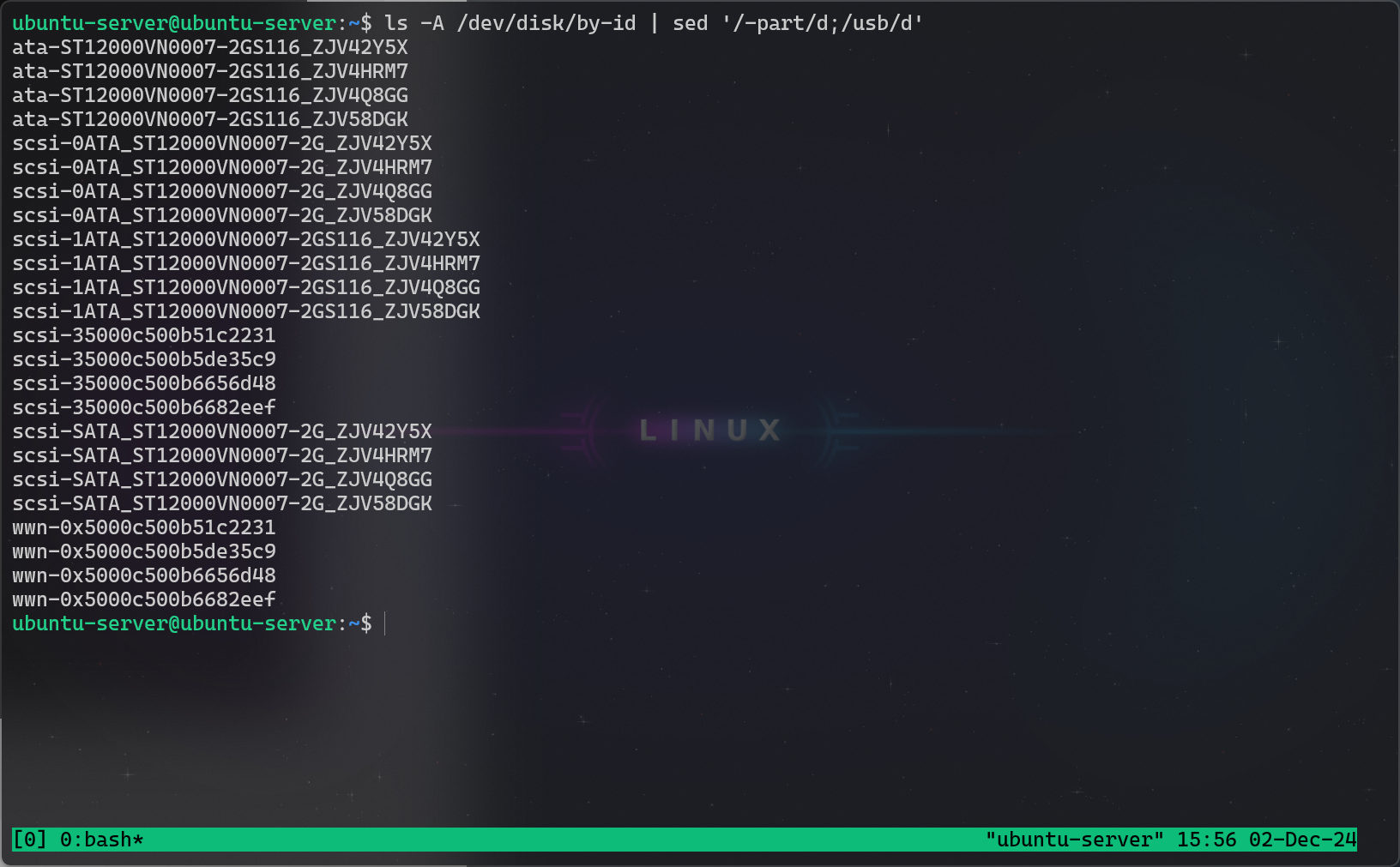
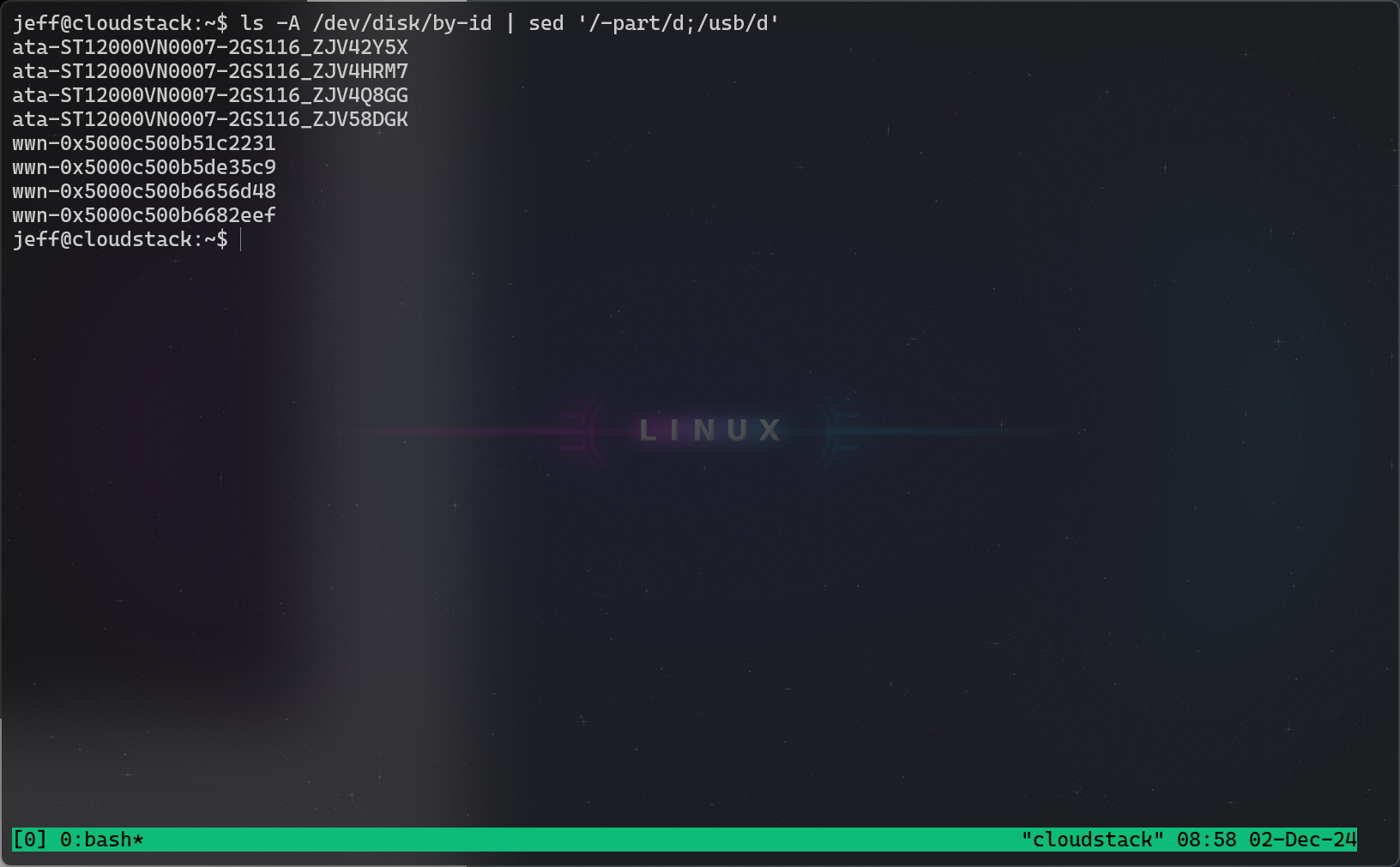
Here is the exact issue that I’m having. I’ve included screenshots of the command I use to list HDDs on the live cd versus the same command run on Ubuntu 24.04. I don’t know anything about what is causing this issue so perhaps this is a time where someone else can assist. Now, the benefit to using /dev/disk/by-id/ is that you can be more specific about the device, so you can be sure that it is connected to the proper disk no matter the state that your environment is in. This is something that you need to do to have a stable ZFS install. But if I can’t do that with scsi disks, then that advantage is limited.
Windows Terminal for the win, btw.
Live CD:
Ubuntu 24.04 Installed:
Well… I have to admit my own mistake as well. I did assume it would have faster read and write speeds based upon my raid knowledge and didn’t actually look it up until I was questioned about it. So I appreciate being kept honest.
While we have agreed on the read/write benefits of a ZFS RAID 10 there are a few disadvantages to a setup such as this. For one, I do not have the same level of redundancy. A raidz2 can lose two full hard drives. A zfs RAID10 can lose one guaranteed and up to two total. As long as an entire mirror isn’t gone, I can lose two. So overall, this setup is less redundant than raidz2.
Another drawback that it faces is that for some reason, Ubuntu 24.04 does not recognize scsi drives except over live CD. Perhaps someone can help me with this to provide everyone with a better solution. Those same disks that were visible on the live CD are not visible once the system is installed. It still technically works, but zpool status rpool will show that it is using sdb3 instead of the scsi hdds. This is fine technically, my hdds are SATA anyways so I just changed to the SATA hdds. But if I could ensure that others don’t face this issue, it would result in a more reliable ZFS installation for them.
oOoo… 10 upvotes on a zfs raid 10. I feel like I got the perfect amount.
I had disk performance in mind. A ZFS RAID 10 beats a raid-z2 in terms of read and write speeds. According to the Internet, that is. My instance will become a KVM host to hold 5 kubernetes VMs, so it kinda needs a little bit of a boost. Who knows if it will work, I’m told that my buddy had issues with hdds and had to go to ssds.
That is totally fair. Actually I just upgraded to 12 TB drives and that’s why I’m working on this. So huge props to your design choice. Also props for using zfs, I feel like it flies under the radar a lot.
Interesting… Though I know nothing about your particular setup, or migrating existing data, I have a similar project in the works. This project is to automatically setup a ZFS RAID 10 on Ubuntu 24.04.
If you are interested in seeing how I am doing it, I used the openzfs root on Debian/Ubuntu guides.
For the code, take a look at this git hub: https://github.com/Reddimes/ubuntu-zfsraid10/
One thing to note is this runs two zpools, one for / and one for /boot. It is also specifcally UEFI and if you need legacy you need to change the partitioning a little bit(see init.sh)
BE WARNED THAT THIS SCRUBS ALL FILESYSTEMS AND DELETES ALL PARTITIONS
To run it, load up a ubuntu-server live cd and run the following:
git clone --depth 1 https://github.com/Reddimes/ubuntu-zfsraid10.git
cd ubuntu-zfsraid10
chmod +x *.sh
vim init.sh    # Change all disks to be relevant to your setup.
vim chroot.sh    # Same thing here.
sudo ./init.sh
On first login, there are a few things I have not scripted yet:
apt update && apt full-upgrade
dpkg-reconfigure grub-efi-amd64
There are two parts to automating this, either I need to create a runonce.d service(here). Or I need to add a script to the users profile.d directory which goes ahead and deletes itself. And also I need to include a proper netplan configuration. I’m simply not there yet.
I imagine in your case you could start a new pool and use zfs send to copy over the data from the old pool. Then remove the old pool entirely and add the old disks to the new pool. I certainly have never done this though and I suspect there may be an issue. The other option you have (if you have room for one more drive) is to configure it into a ZFS RAID 10. Then you don’t need to migrate the data, but just need to add an additional vdev mirror with the additional drive and resilver.
One thing I tried to do was to make the scripts easily customizable. It still is not yet ready for that, though. You could simply change the zpool commands in the init.sh.

To be fair they wouldn’t be able to read this either.
Or this

You just changed my life.

I appreciate your attention to detail. Have an updoot.

Wait… You have to take a screenshot with the assistant? For me Power + volume down is the key combination that takes a screenshot. I also get a tiny button for scrolling screenshots and one for sharing them.
Funny story, mostly me just being dumb, I tried to take a screenshot of the screenshot UI, but it removes it from the screenshot automatically.
Please do let me know if this works for you though.
Uuuuuuh.
I have the feeling that 2016 changed the polling model they use. I think the result is that they are downplaying Kamala’s reach by at least a little.
Regardless, I think you shouldn’t care about the polling too much.
Just go vote.
Bee-utiful
Wow. What an awesome wife. I think I just discovered a new relationship goal.
Getting downvotes because you didn’t read the article. ¯\_(ツ)_/¯

You win.
Ah. I was unfamiliar with the home version.
Ah. Did not realize this was an issue with home. I can not say I experienced that. Hell, I still use Windows 7 pro keys to activate Windows 11.
Do you know if you could use audit mode to bypass OOBE and get around it? Simply curious.
No it doesn’t. I just reinstalled Windows 11 pro and I’m running without a Microsoft account.
Edit: I was unfamiliar with how different that is from the home experience. I’m still using Windows 7 keys to install Windows 11 so ¯\_(ツ)_/¯ consider me out of the loop.


To go with this you can also look at https://www.goharddrive.com/. They provide white label drives and refurbished drives with a three year warranty in my case. ~$110 USD for a 12TB Seagate Ironwolf.